A customer sees “open” in search, drives over, and finds a locked door. An online booking form can create the same problem: it accepts a request while the person who confirms appointments is away.
That is a poor end to an otherwise successful search. The customer found you. The information failed them.
How should a small business publish holiday hours? Put the exact date, location, opening hours or closure, and next available action in visible website text. Reconcile that notice with Google Business Profile, booking availability, and reply messages. Assign someone to check the public result. Accurate, consistent information gives customers—and search systems—a clearer answer to work with.
The immediate occasion is the U.S. Labor Day weekend: the Federal Reserve’s 2026 holiday notice identifies Monday, September 7 as the holiday. The checklist below also works for another holiday, a one-day closure, or a short change in service. It is written for business owners, not as a directory of which stores are open.
Your business may have three different clocks
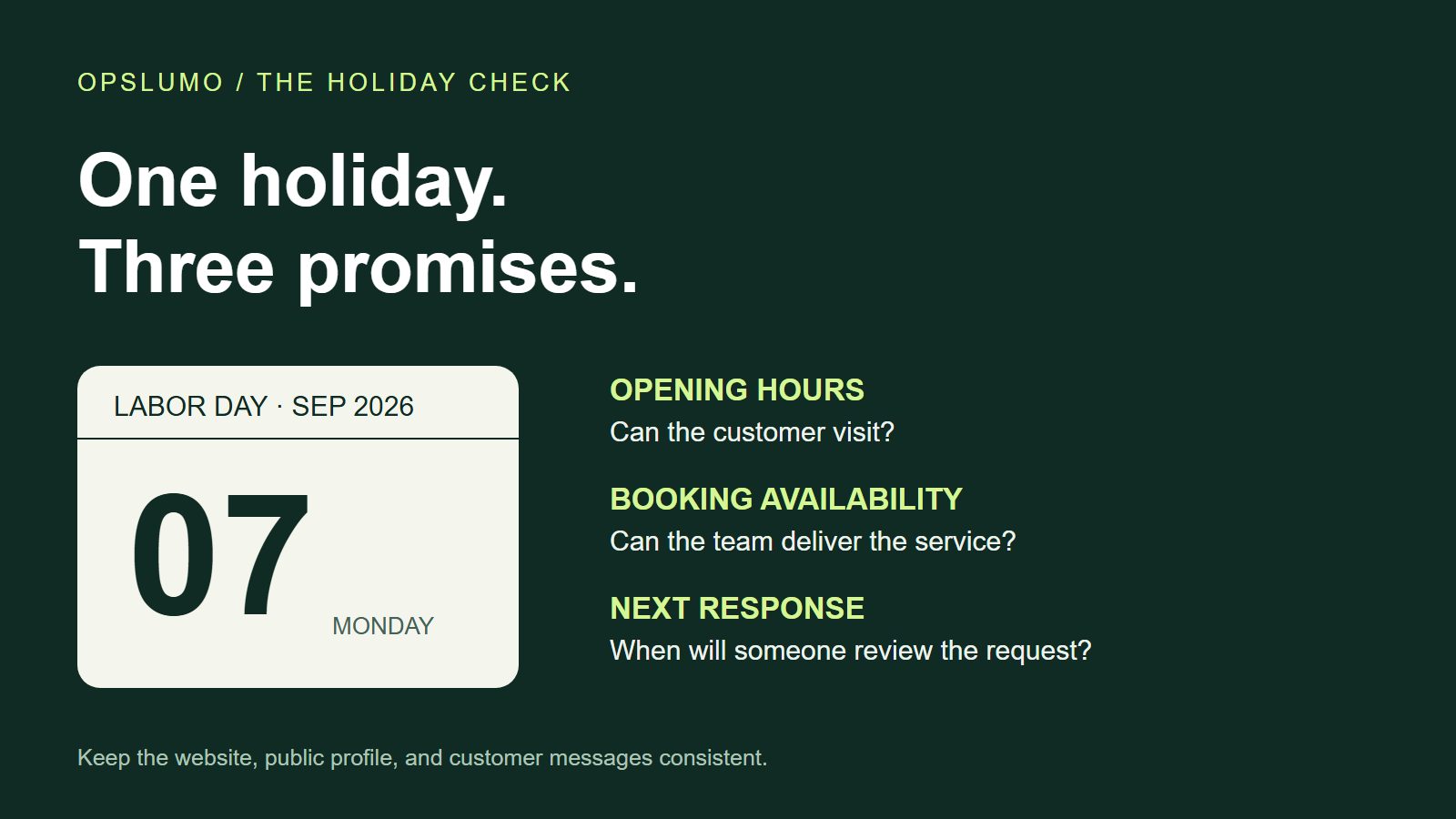
“Open” can mean that someone can walk through the door, place an order, or get a reply. Those are separate promises.
A store might trade from 10 a.m. to 2 p.m. while its online checkout stays available overnight. A consultant may accept inquiries all weekend but respond on Tuesday. A pickup counter can close earlier than the shop. Publishing one vague line—“holiday hours apply”—leaves the buyer to guess which promise has changed.
Before editing any page, write down three facts: when the customer-facing service is available, when someone reviews requests, and when fulfillment or appointments resume. If one person cannot confirm those facts, the publishing task is not ready yet.
Use a dated exception in Google Business Profile
For a one-day holiday change, Google’s special-hours guidance lets eligible businesses enter hours or a closure for the specific date without replacing their normal weekly schedule. Google also recommends confirming official-holiday hours when they stay the same.
Check the location you are editing. Then save the date-specific exception and inspect the public profile. A setting saved in an editor and an answer visible to a customer are two different checkpoints.
There is an important boundary for appointment-based businesses. Google’s business representation guidelines say certain businesses, including those operating only by appointment, should not provide opening hours. Describe booking and response availability accurately on the website rather than inventing walk-in hours to fill a field.
Write the website notice so it survives being quoted
A useful holiday notice should still make sense if someone encounters only that paragraph. Include the business or location, the full date, the relevant time zone, and the action a customer can take. “Closed Monday” is ambiguous once the page has been shared or revisited a week later.
Illustrative notice for a fictional store—not Opslumo’s opening schedule
Our Portland, Oregon store will open from 10 a.m. to 2 p.m. Pacific Time on Monday, September 7, 2026. The pickup counter closes at 1:30 p.m. Online orders remain available; orders placed after the holiday cutoff will be reviewed on Tuesday, September 8. Check your order confirmation for the actual collection date.
This paragraph answers several questions without claiming that every order will be ready on Tuesday. It separates opening, pickup, and review times. The example is a writing pattern; replace every fact with your own confirmed operating plan.
Place the notice beside the normal hours or the relevant booking action. Keep the important facts in text, even when you also use a banner image. A decorative calendar graphic should not be the only place that contains the closure date.
What does this have to do with AI search?
Google’s AI features documentation says a supporting page must be indexed and eligible for a search snippet. It also says there is no special AI markup requirement. Important information should be available in text, and structured data should agree with visible content.
That is a useful limit on GEO claims. You cannot make an assistant cite your holiday notice by repeating “Labor Day” or adding an artificial FAQ. You can give it a page whose business identity, date, hours, and source are easy to identify.
Our editorial recommendation is to make one location page the reference for that location’s hours, then point related pages to it. A social announcement can summarize the change. A booking page can repeat the operational detail where it matters. Both should lead back to the same maintained answer. This reduces contradictions; it is not evidence of a guaranteed citation increase.
Check the markup without turning the article into your business listing
If your location page already uses LocalBusiness structured data, have the person who maintains it check that its hours match the visible schedule. Google’s LocalBusiness documentation includes examples for opening hours, all-day closures, and date-limited schedules. Validate the resulting markup and keep the business details accurate.
A practical mistake is to change the banner while leaving an old schedule elsewhere in the HTML. Another is to copy example hours into structured data that describes the real business. This article uses Article markup: the fictional Portland schedule is an example, not a declaration that Opslumo operates a Portland store.
Let automation acknowledge the request, not invent availability
A holiday inquiry can wait without being lost. The acknowledgment should say that the request arrived, explain when someone will review it, and distinguish review from confirmation. It should not promise an appointment because the calendar integration happened to accept a submission.
For a small team, one shared queue and a named person may be enough. Useful fields are the received time, customer request, promised response window, assigned owner, and next action. If no one is covering the inbox, remove any response promise that implies otherwise.
When the team returns, work through the queue against the promises customers actually received. If your current tools cannot show who owns each request, the next improvement is a clear follow-up workflow, not another holiday landing page.
A short check before you leave
- Open the customer-facing page on a phone. Can you find the date, hours, location, and next step without opening an image?
- Check the public business profile. Does the holiday exception agree with the website?
- Inspect the booking path. Do available slots and confirmation messages match the staffing plan?
- Read the acknowledgment. Does it distinguish receiving a request from confirming service?
- Record who checked it and when. Keep the relevant URLs and a screenshot for the team.
- Set an end date for the notice. After the holiday, remove stale prominence and verify the normal schedule.
If a mismatch appears, fix the maintained source and the conflicting customer touchpoint. Do not assume that changing one automatically updates the other.
Measure the missed question as well as the visit
During the holiday, record inquiries that still ask “Are you open?” or “When will someone confirm this?” Those questions can expose information the page failed to answer. Compare with a similar period cautiously: staffing, weather, promotions, and the holiday itself can change demand.
For AI visibility, save a small set of dated checks using the same business, location, and question. Record whether an AI answer appeared, what it said, and which source it linked. A correct answer, a citation, and an inquiry are separate outcomes. Our AI citation action plan explains how to keep those counts separate.
Holiday traffic only helps when a customer can act on the answer. If your profile, service page, and inquiry process disagree, an Opslumo SEO audit can help identify the gaps and prioritize the page that needs attention first.
Official sources and scope
- Federal Reserve Financial Services: 2026 Labor Day Holiday Instructions. Confirms the September 7 holiday date; its operational instructions concern Federal Reserve services, not private businesses.
- Google Business Profile: How to set Special hours. Date-specific changes and holiday confirmation.
- Google: Guidelines for representing your business. Customer-facing hours and appointment-only exceptions.
- Google Search Central: AI features and your website. Search eligibility, textual content, and limits of optimization claims.
- Google Search Central: LocalBusiness structured data. Hours and dated schedule examples.
Sources checked September 6, 2026. The three-clock model, example notice, and operational checklist are Opslumo editorial recommendations. No customer results, search-volume figures, or citation uplift are claimed.