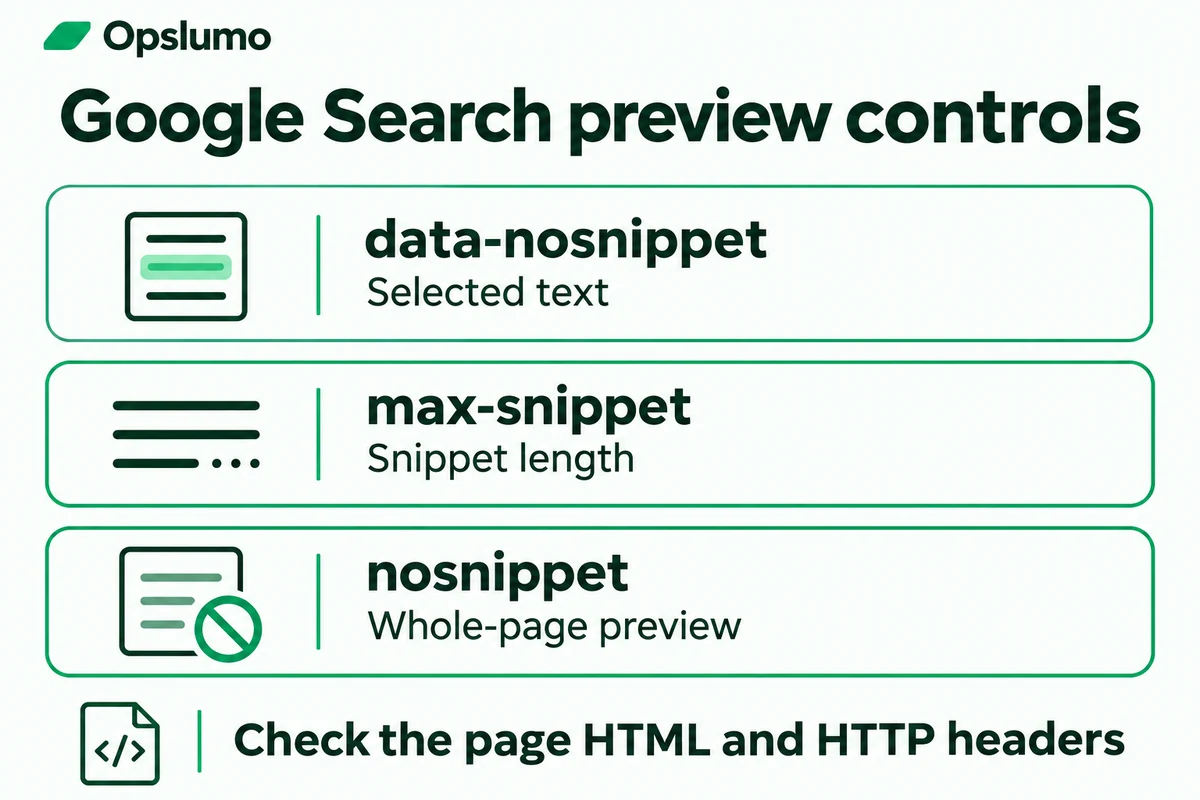
Can a small business choose which parts of a page Google uses in AI search? Google provides preview controls at page and text level. Start by deciding which public information you want discoverable, then check the page's existing settings before adding a restriction. A setting copied into a site-wide template can affect every service page.
For a team trying to earn useful visits through generative engine optimization (GEO), this is a practical maintenance question. A carefully written answer has limited value if its preview settings conflict with the publishing decision.
Check the page you want people to find
Google says a supporting page in AI Overviews or AI Mode must be indexed and eligible for a Search snippet. Meeting those conditions gives a page eligibility. Inclusion remains a separate decision by Google's systems. The same guide identifies preview controls for limiting content in these Search features. Google Search Central, AI features and your website.
Choose one important URL for the first review. A service page that answers a real buying question is a reasonable candidate. Write down the intended audience, the question it answers and the action a visitor can take. That small record makes it easier to decide whether an existing restriction is deliberate.
Match each setting to the publishing decision
data-nosnippetexcludes selected text from snippets when applied to supportedspan,divorsectionelements.max-snippetlimits text length. A value of0is equivalent tonosnippet.nosnippetsuppresses text snippets and prevents page content being used as a direct input for AI Overviews and AI Mode.
Google documents page-level rules in robots meta tags and the X-Robots-Tag HTTP header. With conflicting rules, the more restrictive rule applies. Review both places. Google's robots meta and preview-control specification.
Keep the review scoped to Google's documented behavior. For another search service, consult its own documentation before assuming the same implementation applies.
Work through a service-page example
Imagine a fictional bookkeeping firm publishing a guide to its monthly close service. The page explains scope, typical inputs and how to request a consultation. It also contains a short public announcement that the firm prefers to keep outside snippets.
Our suggested approach is to review that small text block first. Put the durable answer near the top of the page, keep service conditions beside the claim they qualify, and make the enquiry link easy to find. If the owner chooses a text-level exclusion for the announcement, test its exact boundary. An unclosed wrapper could cover content further down the page.
Ask the owner to review the visible copy and the proposed setting together. Save the original markup so the change can be reversed. This scenario is an editorial example. No customer result or traffic increase is being reported.
A five-step review for a small team
- Record the current state. Save the URL, review date, page owner and the business reason for any preview restriction.
- Inspect the response. Check the delivered HTML for robots and Googlebot meta tags. Check the HTTP response headers for
X-Robots-Tag. Ask your developer to identify whether the setting comes from a page, template or hosting rule. - Inspect the text boundary. Locate any
data-nosnippetwrapper and confirm which paragraphs it contains. Review the page on a phone as well as a desktop. - Change the smallest relevant setting. Keep a backup and compare the live response after deployment. For a single-page decision, inspect neighboring pages for unintended template effects.
- Check again after crawling. Use Search Console's URL Inspection when available to review what Googlebot received. Record access as unavailable if you cannot open the property's inspection data.
Google advises checking that the control is visible to Googlebot and allowing time for recrawling and processing. Its guide describes a variable interval that can extend from days to months. Avoid treating a same-day search observation as a complete implementation test. Google's preview-control troubleshooting guidance.
Keep a record of the outcome
Use a short change log with the old setting, new setting, deployment date and follow-up observation. Record a successful live response as a technical check. Record an observed search appearance with its query and date. Then use your analytics and enquiry records to assess whether visitors found the page useful.
For the next review, pair this checklist with our guide to crawl and indexing controls and our AI referral measurement guide. If the page is easy to discover but hard to act on, review the answer and enquiry path together.
Sources and scope
- Google Search Central, AI features and your website. Eligibility and preview-control troubleshooting.
- Google Search Central, robots meta tag, data-nosnippet and X-Robots-Tag specifications. Supported controls and conflicting rules.
Official documentation checked November 12, 2026. This guide covers Google Search. The fictional business example and review workflow are Opslumo's recommendations. Search appearances and traffic outcomes have not been measured for this example.