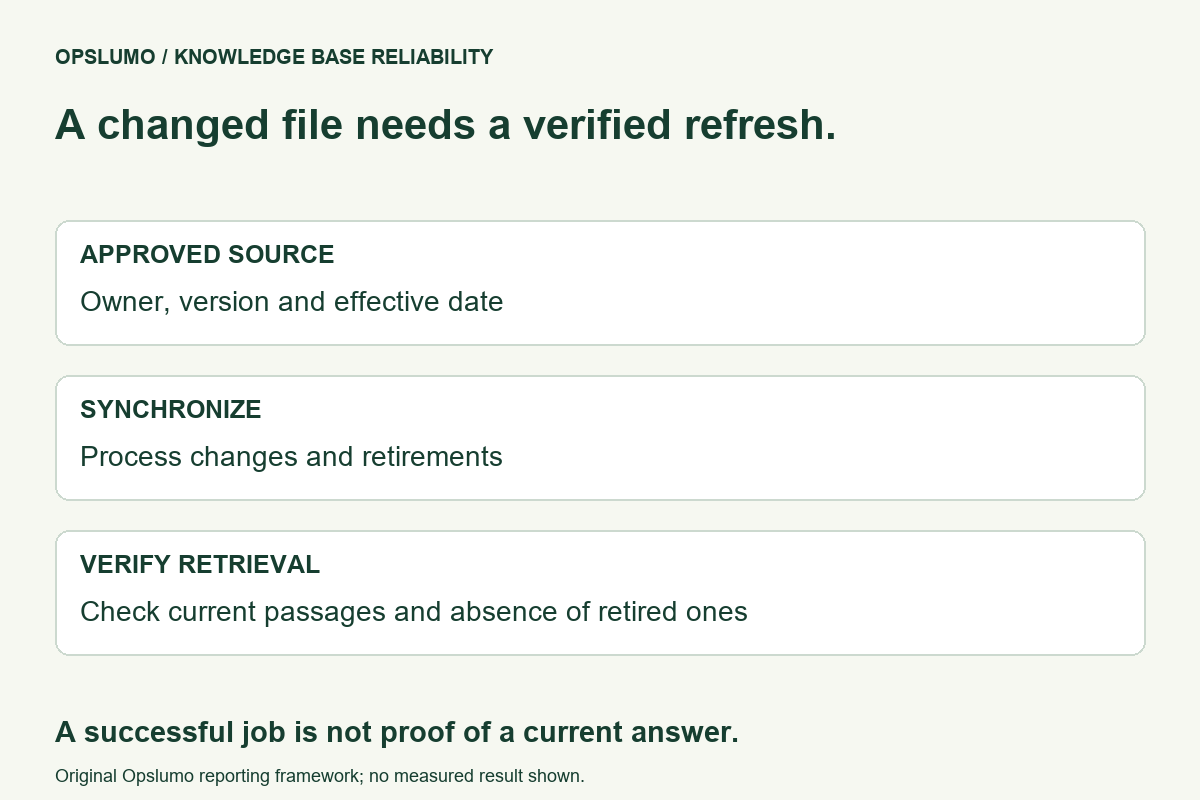
How do you keep an AI assistant from answering with retired documents? Give each source an owner and a validity state, synchronize changes and deletions into the retrieval index, and test what the assistant actually retrieves afterward. Editing the original file is only one step.
Consider a fictional service team that replaces its pricing sheet. The new file is correct, yet the assistant still quotes the old rate. The problem may sit between the source repository and the search index, rather than in the wording of the prompt. Before asking the model to “use the latest information,” find out which document it can still retrieve.
The source and the searchable copy are different states
Amazon Bedrock's knowledge-base documentation says changes to source files require synchronization. Its incremental synchronization processes added, modified and deleted documents. It also notes that newly synchronized data can take a few minutes to become available for querying with some vector stores.
That is a documented behavior for that service, not a universal refresh promise. Your connector, search store and application cache may have different rules. Record their actual behavior before deciding how quickly your assistant can safely answer a time-sensitive question.
Deletion deserves its own test
Microsoft's Azure AI Search guidance for Azure Storage indexers distinguishes change detection from deletion detection. It describes soft-delete strategies to avoid orphan search documents and says the deletion policy should be established from the first indexer run. Adding a policy later does not automatically remove documents deleted before it existed.
The lesson for a small team is to ask separately how updates arrive and how retired material disappears. Do not assume a deleted file stops being retrievable just because a folder view no longer shows it. Follow the documentation for your particular connector instead of applying Azure's configuration to an unrelated tool.
Keep a short source record
Our recommended starting record contains a stable document identifier, its owner, the approved version, effective date, review date and current status. Useful statuses include draft, current and retired. Keep the original source location and the latest successful synchronization result alongside them.
An effective date and a synchronization date answer different questions. One says when a policy applies. The other says when a system processed a change. A document synchronized today may still describe last year's terms.
When two documents disagree, name the person who resolves the conflict. Do not ask the assistant to select the official policy based on whichever paragraph sounds more confident. Where supported, restrict retrieval to approved sources or validity metadata, then verify that the restriction works.
Run three synthetic checks before trusting the refresh
- Change a fact. Put a clearly fictional value in a test document, synchronize it, then replace it. Check the retrieved passage and its source version after the second synchronization.
- Retire a document. Remove or retire the test source through the documented mechanism. Confirm that the old passage is no longer returned by retrieval. A successful job badge alone does not establish that.
- Create a conflict. Add two test documents with different fictional values and explicit validity states. Verify that only the approved current source is used, or that the assistant stops and reports uncertainty.
These are suggested acceptance checks, not results from an Opslumo customer deployment. Use test data, keep the expected result and observed result, and inspect retrieved material as well as the generated answer. An answer can happen to be right while the retrieval path is still wrong.
Decide what happens while freshness is uncertain
For a price, deadline or permission rule that has just changed, temporarily route the question to its owner if you cannot establish which version is available. Tell the user what needs checking rather than inventing a current answer. The fallback should identify a responsible person or authoritative page.
Choose a review interval based on how quickly the underlying information changes and what an outdated answer would cost. There is no single interval appropriate for both an office address and a frequently revised offer. Track failed synchronization jobs and unresolved source conflicts as work items with owners.
Once the change is verified, retain the source version and check date in the evidence record. Our citation verification guide explains how to check whether a source supports a claim. Our workflow retry guide covers another important distinction: an attempted operation and a confirmed outcome are different states.
Sources and scope
- AWS: Sync your data with your Amazon Bedrock knowledge base. Incremental synchronization and query-availability caveats.
- Microsoft: Change and delete detection using indexers for Azure Storage. Connector-specific deletion policies and orphan documents.
Official sources checked November 4, 2026. The source record, fictional scenario and test plan are Opslumo's recommendations. This article does not claim a recent product launch, measured failure rate or guaranteed freshness across all AI tools.